
You wrote a podcast. YouTube will turn it into video for you.
That’s the strange, useful truth here. Submit your audio RSS feed and YouTube generates a video version of every episode — your cover art as the visual, your audio underneath — then lists it on YouTube and YouTube Music. No camera. No editing. Suddenly you’re searchable on the second-largest search engine on earth.
It’s the one platform in this set that doesn’t just list your show. It transforms it.
One caveat worth knowing up front: the RSS path makes a static-image video. If you’re weighing real video instead, here’s the honest case for video vs. audio on YouTube. For now, let’s get you on the fast, free way.
Why this one’s worth the trouble
YouTube is where people go to look things up, not only to watch. A listener searching your topic, your name, or a guest’s name can land on your episode there — in a place Spotify and Apple don’t reach. That’s discovery you can’t buy on a pure audio app.
And because YouTube Music rides the same upload, you cover the music-app audience in the same move.
One feed. Two surfaces. A search engine you weren’t on yesterday.
Before you start: what you need
- A YouTube channel for your show (or your existing one).
- A podcast host with at least one published episode and your RSS feed URL.
- Access to the email inside your feed — the verification code lands there, not in your YouTube account inbox.
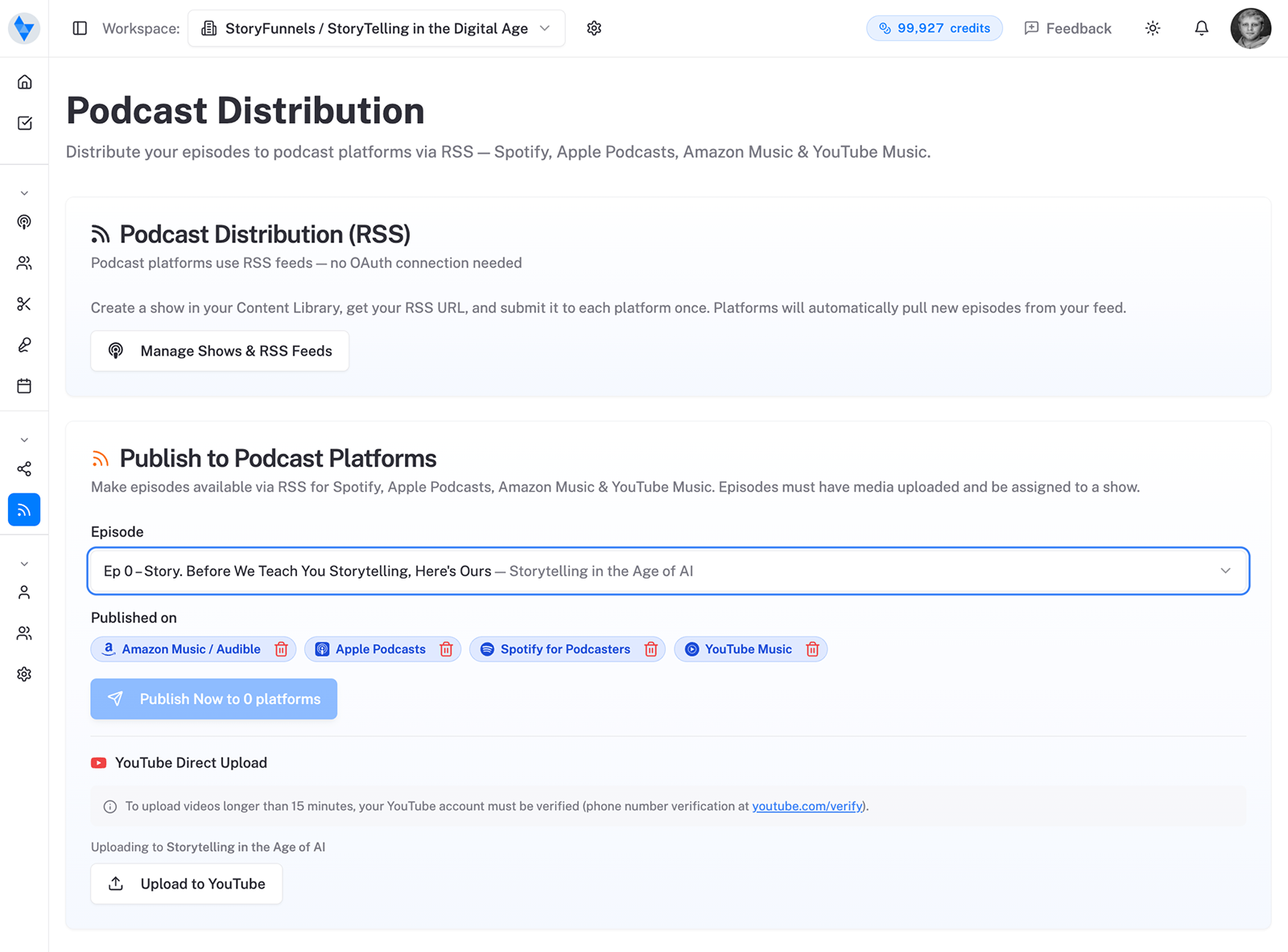
Step by step: submitting via RSS
The flow is short, and the one place people stumble is the same email field as everywhere else.
- In YouTube Studio, choose Create → New podcast → Submit RSS feed.
- Read and accept the RSS Ingestion Tool Terms of Service.
- Paste your RSS feed URL.
- Verify ownership. Enter the code YouTube emails to the address inside your feed, then Verify.
- Select the episodes you want uploaded, and click Next.
- Under “Video count,” click Publish. Your podcast — and every new episode — goes public, auto-uploads, and notifies eligible subscribers.
Go in with your eyes open: this path is public
One thing to understand before you click Publish, because it surprises people.
RSS ingestion is public by design. Submitting the feed makes your selected episodes public and auto-publishes every new one going forward — and notifies your eligible subscribers when it does. That’s exactly what you want for reach. It is exactly what you don’t want if any of those episodes were meant to stay private. So if you run a members-only or pre-release feed, keep it off the RSS path entirely.
What YouTube actually does with your audio
It’s worth picturing the output so you’re not surprised by it.
For each audio episode, YouTube creates a video whose entire visual is your show’s cover art — a still frame for the full runtime. It’s real, it’s searchable, and it counts as a video on your channel. It is also, bluntly, not very watchable. Which is the whole argument for treating RSS as a foothold, not a finish line.
YouTube builds a video from each audio episode automatically — then keeps doing it for every new one.
Make even a static upload work harder
If you’re going the RSS route, a little effort on the metadata goes a long way.
- Titles people search. YouTube is a search engine first. A title that names the topic, the guest, or the question beats a bare episode number every time.
- Descriptions with substance. A real summary, key links, and timestamps give YouTube something to index and listeners a reason to stay.
- Chapters. Timestamped chapters in the description turn a static hour into something navigable.
- Cover art that reads small. It’s your only visual. Make it legible at thumbnail size.
And when you’re ready to actually grow here, that’s when short, real video clips earn their keep.
One small habit pays off later: ask people to subscribe. A subscriber gets notified the moment your next episode auto-uploads from the feed, which quietly turns a one-time listen into a returning one — and on a platform built entirely around the next recommended thing, a returning viewer is worth far more than a passing one. It costs you a sentence in your description. Make the ask.
Who YouTube Music is actually for
It helps to know who you’re reaching here, because it isn’t quite the audio-app crowd.
YouTube Music listeners are, more often than not, music people first — folks who live in that app for playlists and happen to find podcasts inside it. They’re also the people most comfortable with the line between listening and watching being blurry, which is exactly what the RSS path produces. For them, your static-image episode plays fine in the background, the same way a long mix would.
That makes YouTube Music a genuine coverage win — you’re in front of a population that may never open Apple or Spotify — without much downside. The catch is that this audience won’t carry your growth. Background listening rarely converts a stranger into a fan. For that, you need the other half of YouTube: the search results, the recommendations, the thumbnails. And those reward real video.
When to graduate to real video
So treat the RSS path as a beginning, not a destination.
Claim your spot now, audio-only, and let YouTube Music cover the listeners it covers. But the moment you’re serious about YouTube as a growth channel — not just a listening one — start shooting real video, even simply, and uploading it as proper episodes. That’s when thumbnails, retention, and the recommendation engine finally start working for you. We lay out the full trade-off, gear and all, in the guide to video vs. audio on YouTube.
The two aren’t in conflict. Start with the easy win; build toward the bigger one as the show earns it.
“A creator … needs to acquire only 1,000 True Fans to make a living.”
Keep that in view on the biggest platform of them all. YouTube can hand you enormous reach, and reach is seductive — but a thousand people who’d miss you if you stopped will carry a show further than a million who scrolled past once. Chase the true fans. The view count is a byproduct.
On the platform. Now earn the search.
Auto-generated videos get you listed on YouTube. They don’t get you watched.
What earns the click is everything around the upload — a real title, a thumbnail that stops the scroll, short clips pulled from the episode, a description that answers what people searched. That’s the work that turns a static-image upload into actual discovery. Here’s how to think about getting found once you’re everywhere.
Sources: YouTube Help — Deliver podcasts using an RSS feed and YouTube for Creators — Podcasts.