
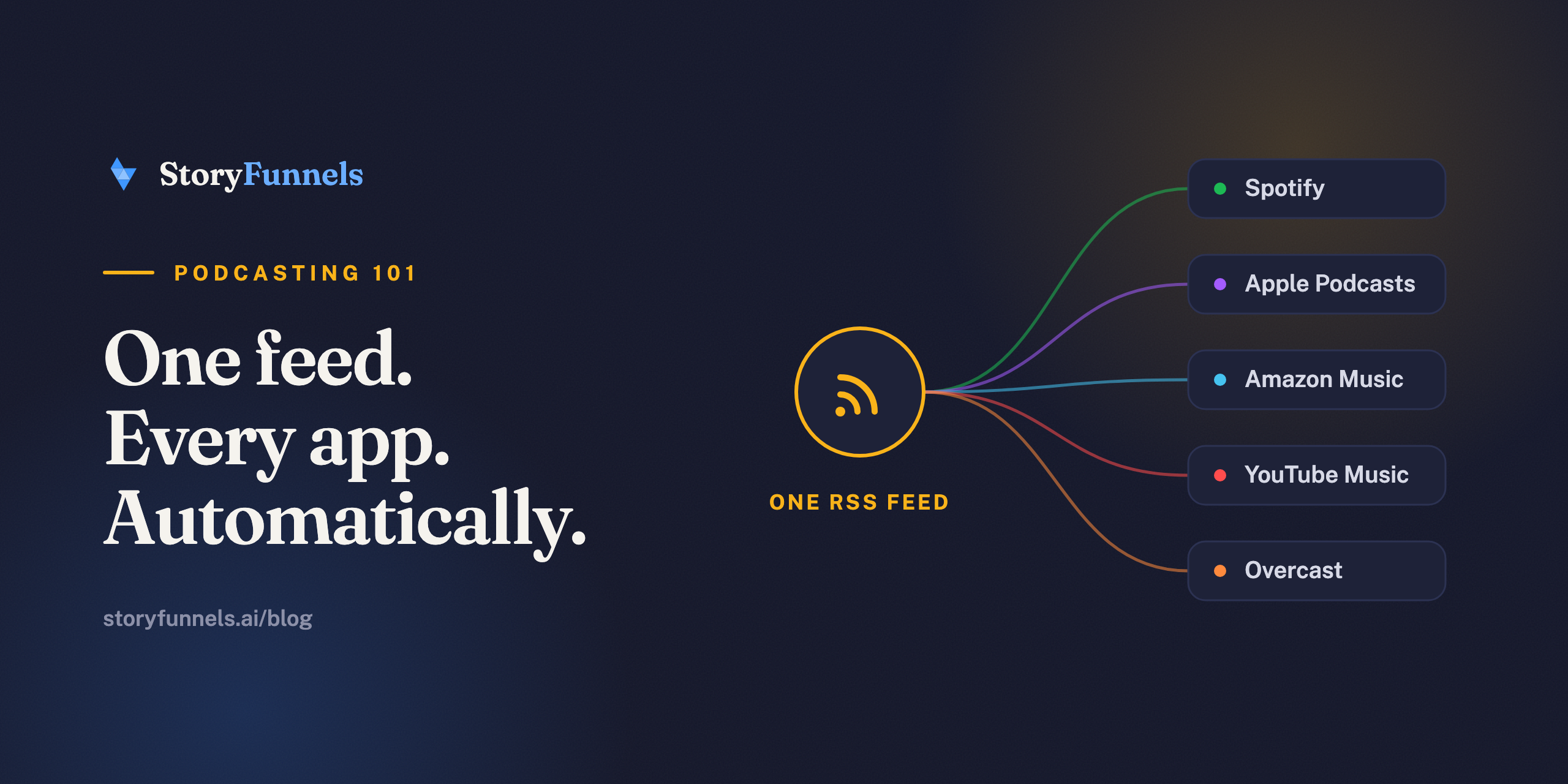
Your podcast isn’t on Spotify.
That sounds wrong. It isn’t. What lives on Spotify is a reflection of your show — pulled automatically from one web address that belongs to you. That address is your RSS feed. And the moment you understand it, the whole baffling business of “getting onto platforms” collapses into something almost embarrassingly simple.
Here’s the one-sentence version: a podcast RSS feed is a single link that lists your show and every episode, written so machines can read it.
Spotify reads it. Apple reads it. Amazon Music, YouTube Music, Overcast, that app your uncle swears by — all of them read the same link. You publish once; it appears everywhere. Nobody built that magic trick for you. It’s just how podcasting works, and it’s been quietly true the entire time.
Most creators never look under the hood. Until something breaks.
Then they panic. So let’s open it up now, while nothing’s on fire.
What “RSS” actually means
RSS stands for Really Simple Syndication — a rare piece of tech jargon that tells the truth.
It’s an XML file. Picture a table of contents for your show: your title, your artwork, your description, and beneath that, one row per episode — its name, its notes, its date, and a link to the actual audio. That’s the whole thing. A list a computer can read.
The word that matters is machine-readable. You read web pages; apps read RSS. It’s the difference between hand-delivering a fresh copy of every episode to every platform forever, and handing each one a single address it can check on its own — for free, while you sleep.
How it works, end to end
The flow is shorter than the explanation.
You upload an episode to your host — the service where the audio file actually lives. The host updates your feed. Then every directory you ever submitted that feed to re-checks it on its own clock, spots the new entry, and pushes the episode out to listeners’ apps. One action; a dozen destinations.
Publish once to your host. The feed fans your episode out to every app — automatically.
This is why podcasting is open in a way almost nothing else online is. No company owns the pipes. Spotify and Apple are guests reading a feed you control — not landlords.
Hold onto that word. Control. It’s about to matter more than anything else here.
Why you should never lose control of your feed
Whoever owns the feed owns the audience.
Read that twice. Because if your host owns your feed outright — and won’t let you redirect it — then leaving them means leaving every subscriber behind. Years of listeners, stranded, because the forwarding address was never yours to change.
Flip it, and it’s a superpower. Control the feed (or use a host that lets you redirect it freely) and you can switch providers, rebrand, or rebuild your entire setup without a single listener noticing — they keep getting episodes while the plumbing changes behind the wall and the taps still run.
“The future of publishing lies in harnessing the power of every form of digital media to inspire your audience.”
Finding and submitting your feed
Your host hands you the feed URL. Look for a tab marked “RSS,” “Distribution,” or “Feed.” It’s there.
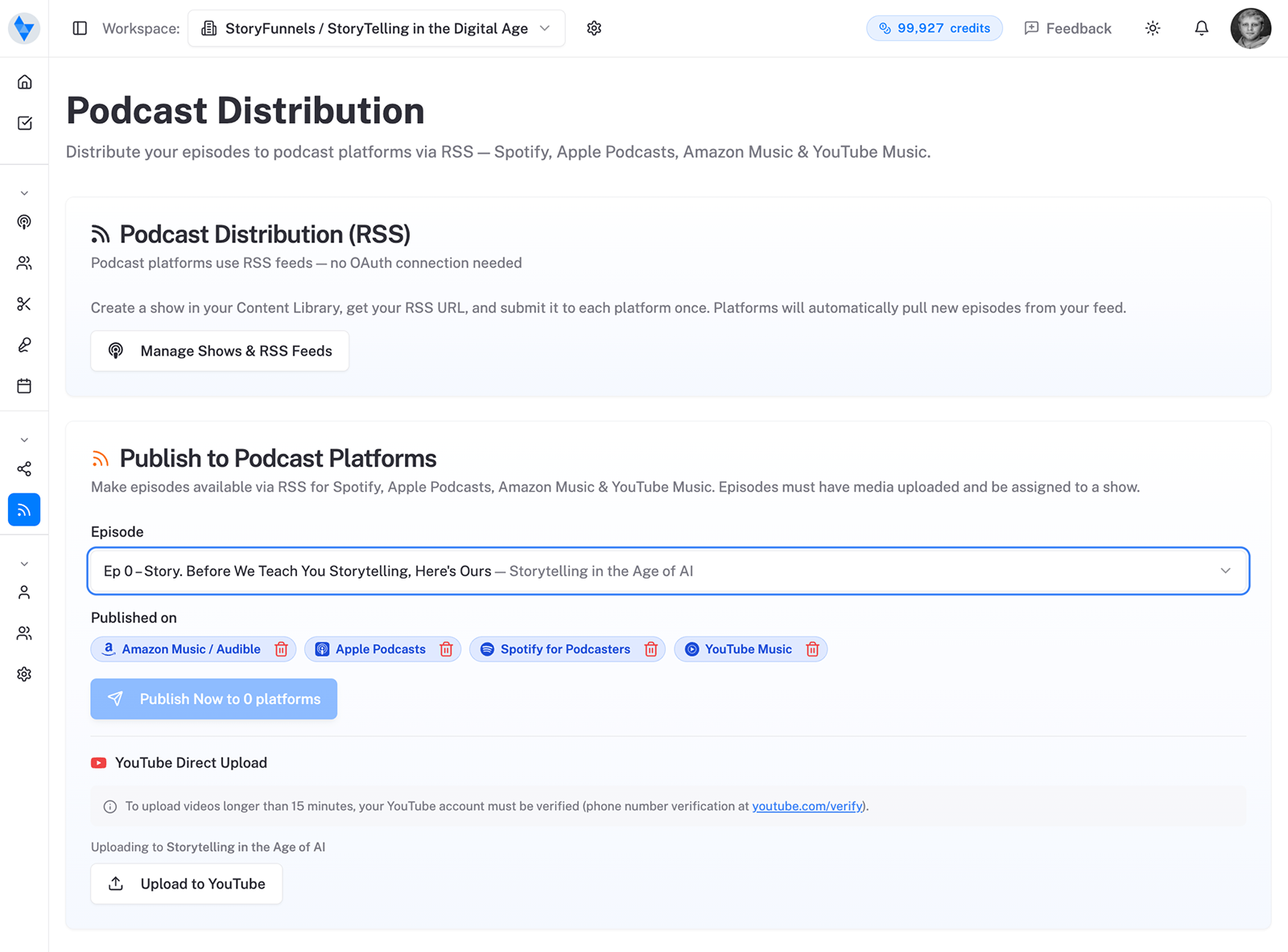
To get on a platform, open that platform’s creator portal and paste the URL. Once. Most of them check you really own the show by emailing a code to the address tucked inside your feed — so make sure that email is real, and one you can actually open.
Then you’re done. Not done for now — done forever. Every future episode rides the rails you just laid. Here’s the exact walkthrough for getting on Spotify; Apple, Amazon Music, and YouTube Music follow the identical pattern.
Common feed problems (and fixes)
When a feed misbehaves, it’s almost always one of four things:
- “Feed has no episodes.” Platforms reject empty feeds. Publish at least one episode first.
- “Can’t verify ownership.” The email inside your feed is missing or wrong. Fix it in your host’s settings.
- Episodes not updating. Directories cache feeds; a new episode can take a few hours to surface. Patience beats re-submitting.
- Broken artwork or formatting. Apple in particular is strict about image size and required tags — a good host handles this for you.
The takeaway
An RSS feed is just a machine-readable list of episodes.
It’s also the single most valuable thing you own as a podcaster — the foundation every platform, every download, every new listener quietly stands on. Publish to your host. Let the feed carry the weight. And never, ever give up control of it.
Get that right and “being on every platform” stops being a chore. It becomes the thing that happens while you record the next one.
There’s one problem RSS can’t solve, though — and it’s the one that decides whether your show lives at all. Being available everywhere is not the same as being found.
Sources: Spotify for Creators help, YouTube Music Help (RSS delivery), and host documentation from Buzzsprout, RSS.com & Captivate.